目录
The smart sensor trash can is a masterpiece of convenience and ease of use. However, in case your intelligent sensor trash can malfunctions, starts behaving strangely, or produces grinding noises from its motor, it is important for you to know that none of these issues indicate an irreversible malfunction. On the contrary, most of the time they simply indicate some voltage or optical sensor failures or even mechanical failures.
In this article, you will find helpful tips on how to fix your smart sensor trash can without unnecessary expenses.
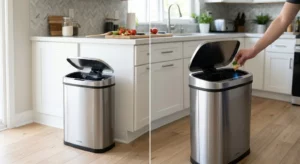
Immediate Diagnostics: Troubleshooting Your Smart Sensor Trash Can
Without removing any parts, please refer to the following table and figure out what the problem could be from its symptoms:
| Observed Symptom | Primary Cause | Key Diagnostic Metric | Immediate Action |
| Completely Unresponsive | Low battery voltage, incorrect polarity | Voltage drops below 1.1V/cell | Replace with fresh alkaline batteries; verify polarity |
| Rapid Continuous Opening/Closing | Dirty infrared lens, direct sunlight | Lens dust/smudge obstruction > 30% | Wipe the optical window; move away from direct UV |
| Motor Humming, Lid Stuck | Dislodged gears, trash bag interference | Mechanical resistance exceeds 0.5 N·m | Clear bag blockage; manually align internal lever |
| Shortened Detection Range | Aging sensors, low-power eco mode | Detection zone shrinks from 20 cm to < 5 cm | Clean filter window; perform a full power reset |
Step-by-Step Fixes for Smart Sensor Trash Can Malfunctions
2.1 Solution for Unresponsive Smart Sensor Trash Can
When your smart sensor trash can shows no sign of life after you have changed the batteries or used your hand to wave over the sensor, then there is definitely an issue with the power supply path.
- Check Voltage and Battery Specifications: Motion sensors need consistent voltage to turn on the drive motor. Even when the old batteries hold sufficient charge to light up a low LED signal, a voltage level lower than 1.1V – 1.2V per AA or AAA battery is not sufficient to generate sufficient peak current to rotate the gears. When replacing the batteries, use only brand new alkaline batteries at once.
- Dealing with Corrosion:The metal springs in the battery compartments may become corroded if there is moisture in the environment (kitchen, bathroom). Use a cotton ball that you have slightly wetted with 75% isopropyl alcohol to rub off the green or white corrosion.
2.2 Fixing Continuous False Triggering and Ghost Opening
A smart sensor trash can caught in a loop of repeatedly closing and opening itself is generating false-positive feedback from its optics.
- Maintain the Infrared Optical Lens Properly: The system contains tiny infrared light sensors and emitters. Should the lens be covered with grease, dust, or water droplets, the light reflection might result in a false hand detection signal from the microprocessor. Clean the lens with a dry microfiber cloth.
- Eliminate the External Light Distraction:Sources of bright light emitting radiation within the range of 850 nm to 940 nm, for instance, sun rays entering through the window or halogen lamps, could saturate the infrared receiver circuit. Move the bin out of direct sunlight or a brightly lit environment.
2.3 Fixing the Mechanical Resistance and the Gear Malfunction
A humming noise produced by a working motor without the lid opening up is likely to indicate mechanical resistance.
- Clear Physical Interference: It is important to ensure that there is no physical obstruction on the edge of the bag, preventing the smooth opening and closing of the bin lid. One of the problems that may arise because of poor engineering is the wrapping of a plastic bag liner around the mechanism. This problem does not occur in the CDWK CD-7102 automatic bin because of the efficient engineering of the interior ring configuration and the correct tolerance.
- Manual Alignment of the Levers: It is necessary to switch off the main power source. Next, open the lid manually while applying pressure to raise it to the full 90-degree position and close it gently.
Advanced Maintenance to Extend Your Smart Sensor Trash Can Lifespan
To reduce possible disruptions in the future concerning your smart sensor trash can, several maintenance practices will help greatly:
Prevent Moisture or Water Splashes
Typical circuit boards will corrode fast at levels of humidity greater than 85%. Should you install your unit in a bathroom or other moist environment, choose units that have the waterproofing grade of IPX4 or above. Gaskets made of silicone inside models will effectively seal off any splashes or moisture from reaching the control chip chamber.
System Hard Reset
In case there have been instances of electrostatic discharge or power fluctuations that may have resulted in locked memory in the microcontroller, remove all the batteries. Press and hold the power button for 15 seconds, wait for 10 minutes, and then insert fresh batteries.
Set Optimum Sensor Distance
The ideal sensor positioning for a smart sensor trash can is 15–25 cm above the floor. Sensing range being too much will result in the sensors detecting motion just because someone moves through the region; while a small range will require users to move closer.
Conclusion
Fixing problems in a smart sensor trash can doesn’t involve any difficult technical know-how. By checking operating voltage, making sure optical sensors are clean, and fixing clogged mechanical pathways, over 90 percent of the most typical failures can easily be resolved at home. Coupling this with regular maintenance practices and a good-quality bin will make your automatic trash can work seamlessly for you for years to come.
5. FAQ
Q1: What should be the lifespan of batteries used in a quality Smart Sensor Trash Can?
At a normal operating level of 20- 30 open-close actions per day, an efficient smart sensor trash can with good-quality alkaline batteries is supposed to function for 6 to 9 months.
Q2: Is it possible to open a smart sensor can by hand during a power outage?
Yes, because the vast majority of automatic cans are equipped with efficient mechanical dampers and gears that allow one to open a closed can gently without damaging the motor gears.
Q3: Why is the light flashing red all the time?
The continuous blinking of the red LED light indicates that there is a low-voltage problem due to dead batteries or an object obstructing the infrared beam for 10 seconds or more.
0